Ergonomics & Posture: The Hidden Secret to Faster and Pain-Free Typing
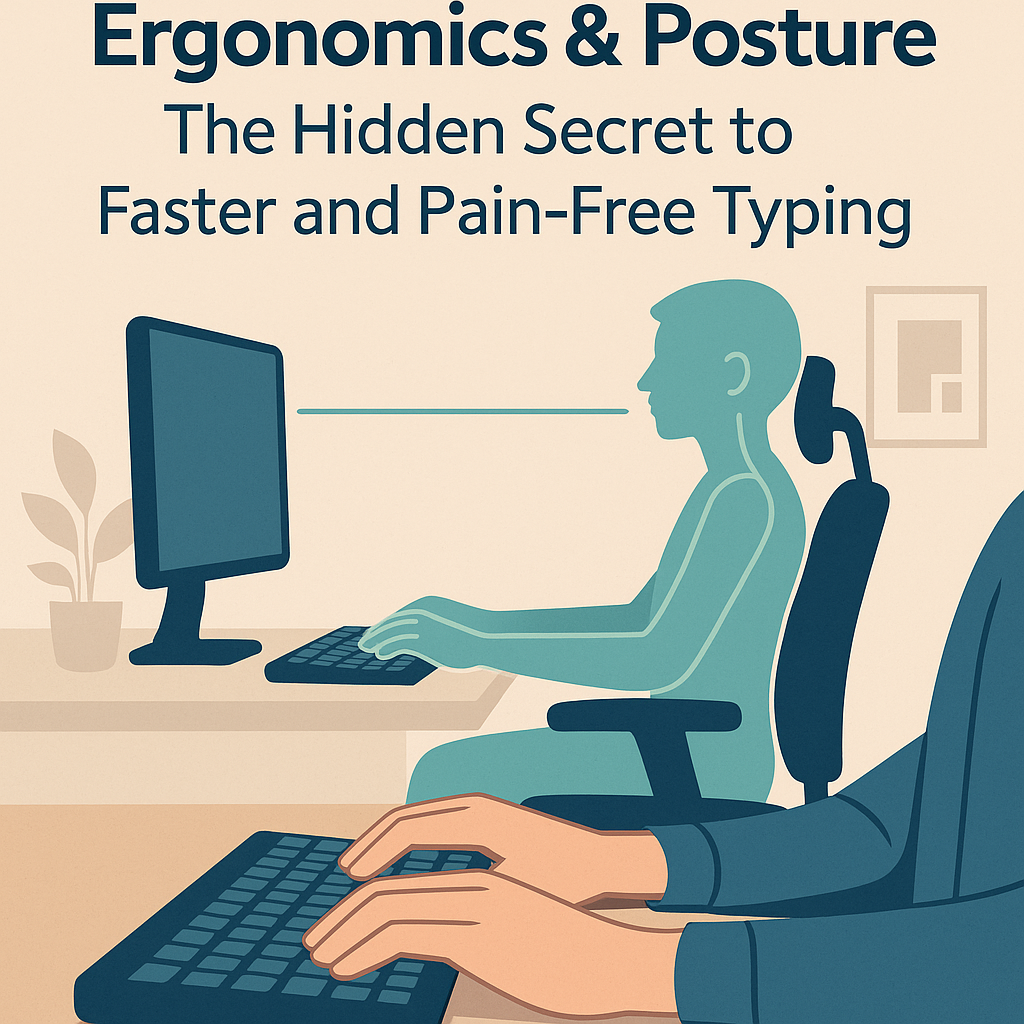
Ergonomics & Posture play a major role in your typing efficiency, comfort, and long-term health. Whether you’re preparing for competitive exams, working long hours, or practicing typing drills, a good ergonomic setup prevents strain and enhances accuracy. In this guide, you’ll learn how to set up your desk, position your hands, and maintain healthy habits for faster and safer typing.
Why Ergonomics Matter
- Reduces fatigue: Proper body alignment minimizes energy loss and keeps you focused longer.
- Prevents injury: Poor posture can lead to wrist pain, back stiffness, and repetitive strain injury (RSI).
- Improves accuracy: A stable and relaxed posture allows better finger control and fewer typing errors.
- Boosts endurance: The less effort your muscles waste, the longer you can type without discomfort.
Ideal Typing Posture
Your typing posture determines your comfort and accuracy. Follow these simple steps to find your best position:
- Chair height: Adjust your chair so that your elbows form a 90° angle and your forearms are parallel to the ground.
- Feet placement: Keep both feet flat on the floor. Avoid crossing legs as it misaligns your hips and spine.
- Back support: Sit with your lower back supported. Use a small cushion if needed for lumbar support.
- Shoulders: Keep them relaxed, not hunched or raised.
- Head position: Your eyes should align with the top third of your monitor screen. Avoid bending your neck forward.
Hand & Wrist Positioning
- Wrists neutral: Keep wrists straight — not bent upwards or downwards. Consider a wrist rest if needed.
- Home-row anchor: Rest fingers lightly on
asdf and jkl;. Avoid pressing keys too hard.
- Elbows close: Keep elbows near your sides for stability.
- Use light pressure: Let your fingers float above the keys rather than pressing them forcefully.
Desk & Monitor Setup
An ergonomic desk setup keeps your posture aligned and prevents strain during long sessions.
- Monitor height: Top edge of the screen should be at or slightly below eye level.
- Distance: Place your screen about an arm’s length away (~50–70 cm).
- Keyboard placement: Keep the keyboard flat or slightly tilted away from you (reverse tilt is better for wrists).
- Mouse position: Keep the mouse close to the keyboard and at the same height to prevent overreaching.
Healthy Typing Habits
- Take micro-breaks: Every 25–30 minutes, pause for 1–2 minutes. Stretch fingers, roll shoulders, or look away from the screen.
- Follow the 20–20–20 rule: Every 20 minutes, look 20 feet away for 20 seconds to relax eye muscles.
- Stay hydrated: Proper hydration prevents muscle fatigue and keeps your energy stable.
- Practice mindful typing: Notice tension in your shoulders or hands and relax them consciously.
Simple Stretches for Typists
Perform these gentle stretches daily to prevent stiffness and maintain flexibility:
- Wrist flexor stretch: Extend your arm forward, palm up. Use your other hand to gently pull fingers downward for 15–20 seconds.
- Wrist extensor stretch: Extend arm forward, palm down, and gently pull fingers toward your body.
- Neck rotation: Slowly turn your head left and right, holding each side for 5 seconds.
- Shoulder rolls: Roll shoulders backward and forward 5–6 times each.
Signs of Poor Ergonomics
- Persistent wrist or finger pain
- Tingling or numbness in hands or fingers
- Back, neck, or shoulder stiffness after typing
- Frequent headaches or eye strain
If you notice these signs, adjust your workstation and take more frequent breaks. Early correction prevents long-term injury.
Ergonomics Checklist for Your Workspace
- ✔ Chair adjusted to elbow height
- ✔ Feet flat on the floor
- ✔ Monitor at eye level
- ✔ Wrists straight, shoulders relaxed
- ✔ Keyboard close and flat
- ✔ Break reminder set every 30 minutes
Conclusion
Good ergonomics and posture aren’t optional — they’re essential for comfortable, accurate, and fast typing. Once you set up your desk correctly and practice healthy posture, your typing sessions will feel smoother and your WPM will rise naturally. Combine this with regular stretching, short breaks, and mindful awareness to make typing both efficient and pain-free.
Try this today: Adjust your chair, keep wrists flat, and type a 5-minute test — you’ll instantly feel the difference.

Comments
Comments